MYWTC - UPGRADING INTERNET
myWTC - Upgrading Internet
Last Updated: October 23, 2026
Upgrading Internet?
Once you've logged into your myWTC portal, you can upgrade your exisiting Internet Speed or WTCtv package! Follow along below to learn how. As always, if you have any questions, call or text 785-456-1000, or email support@wtcks.com.
1
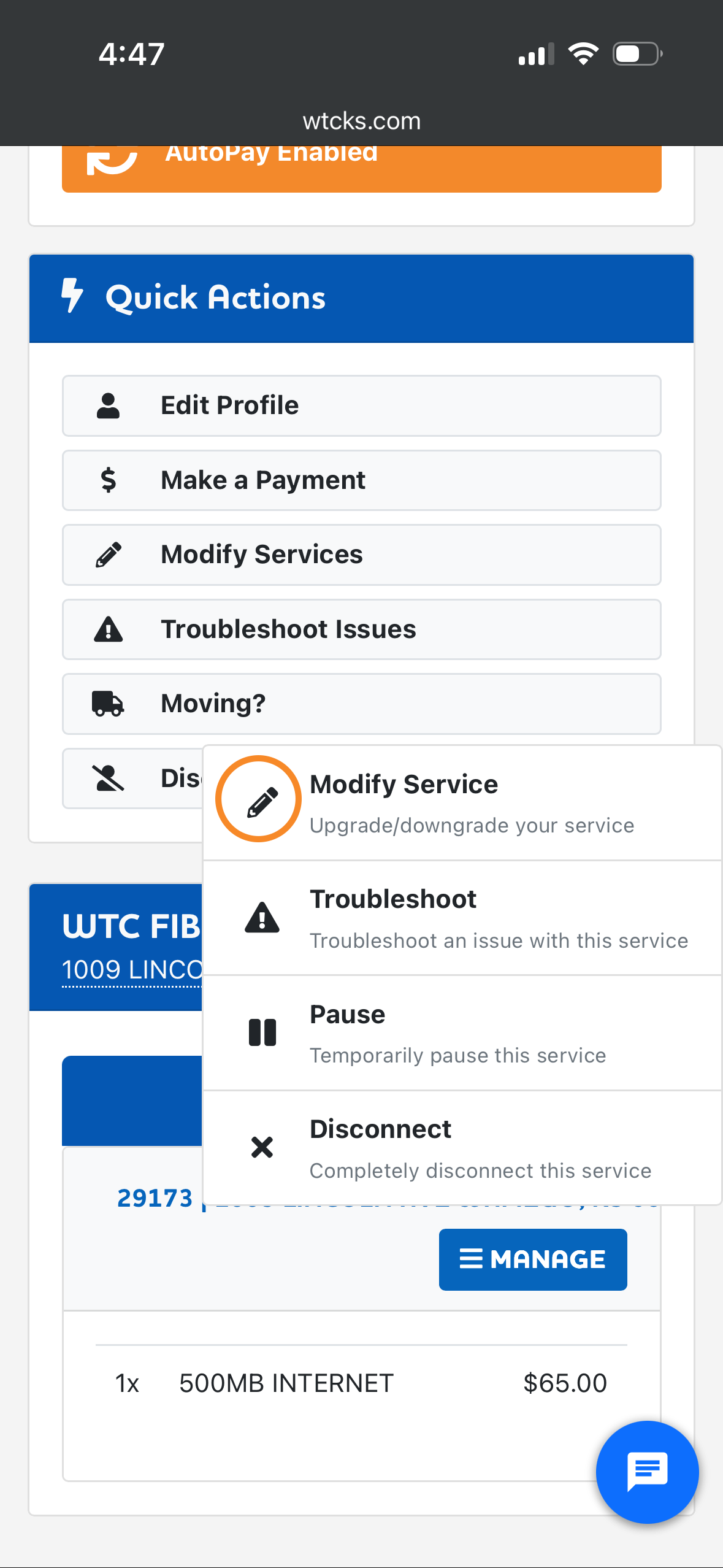
Step 1: Scroll down to your current services and click Manage. Then Modify Service.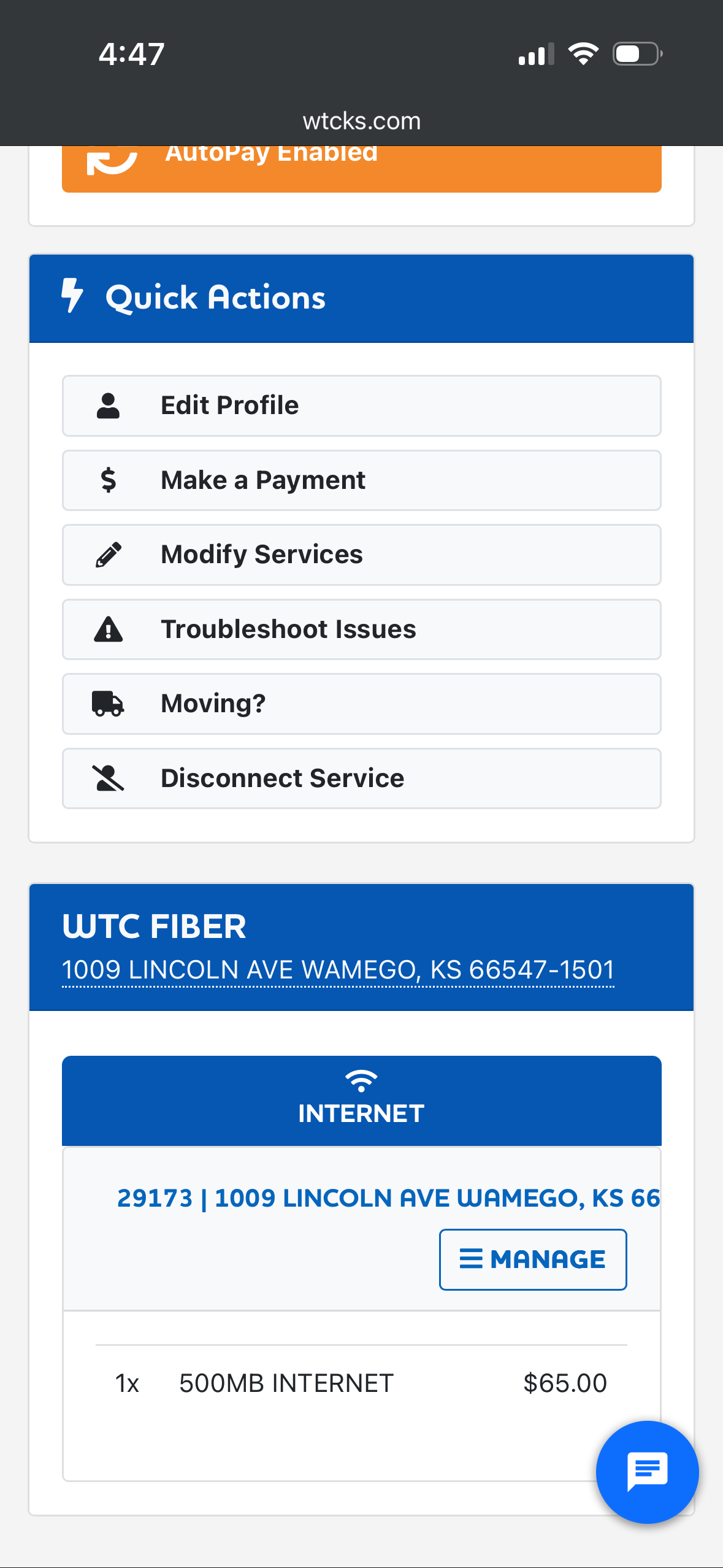
2
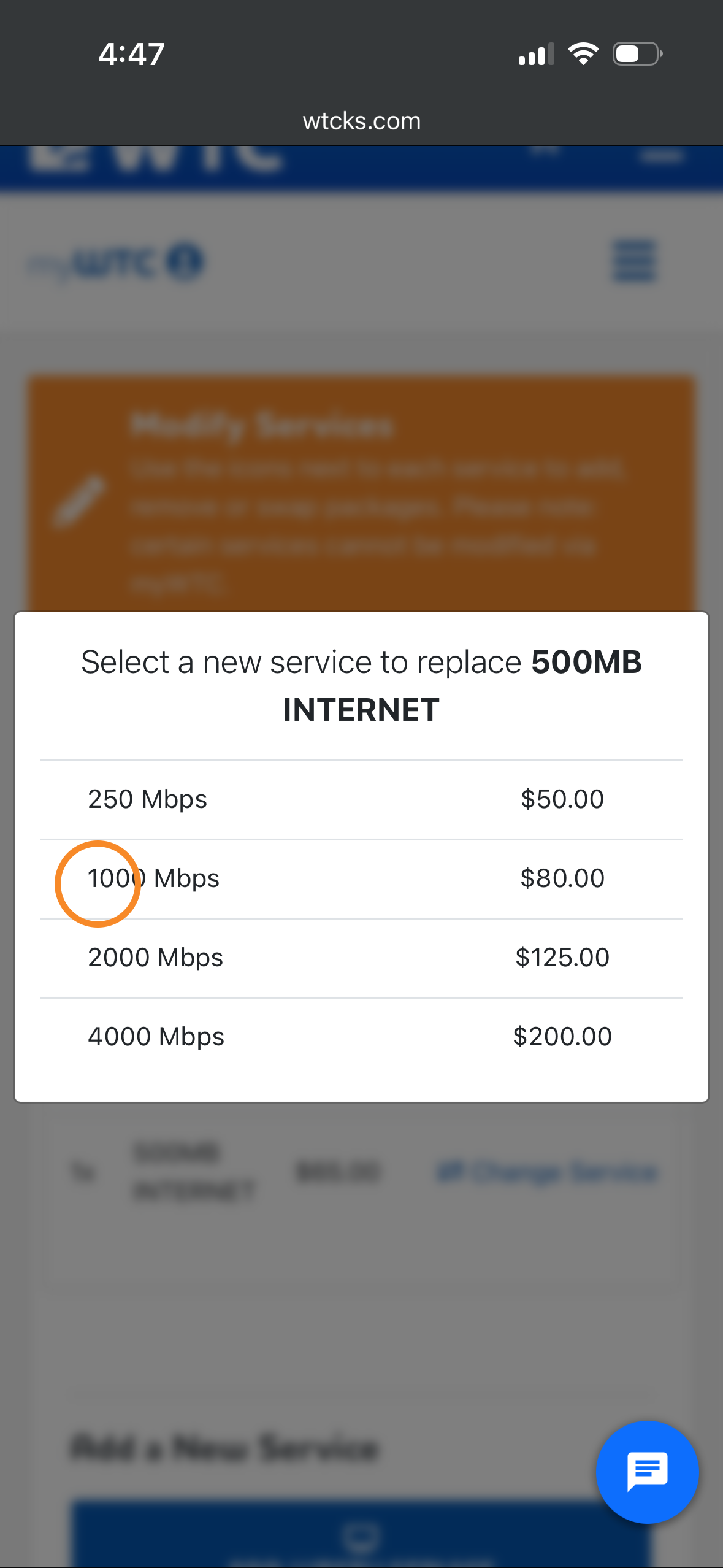
Step 2: Click Change Service and choose the Internet speed you're wanting to activate. Then scroll all the way down and press continue.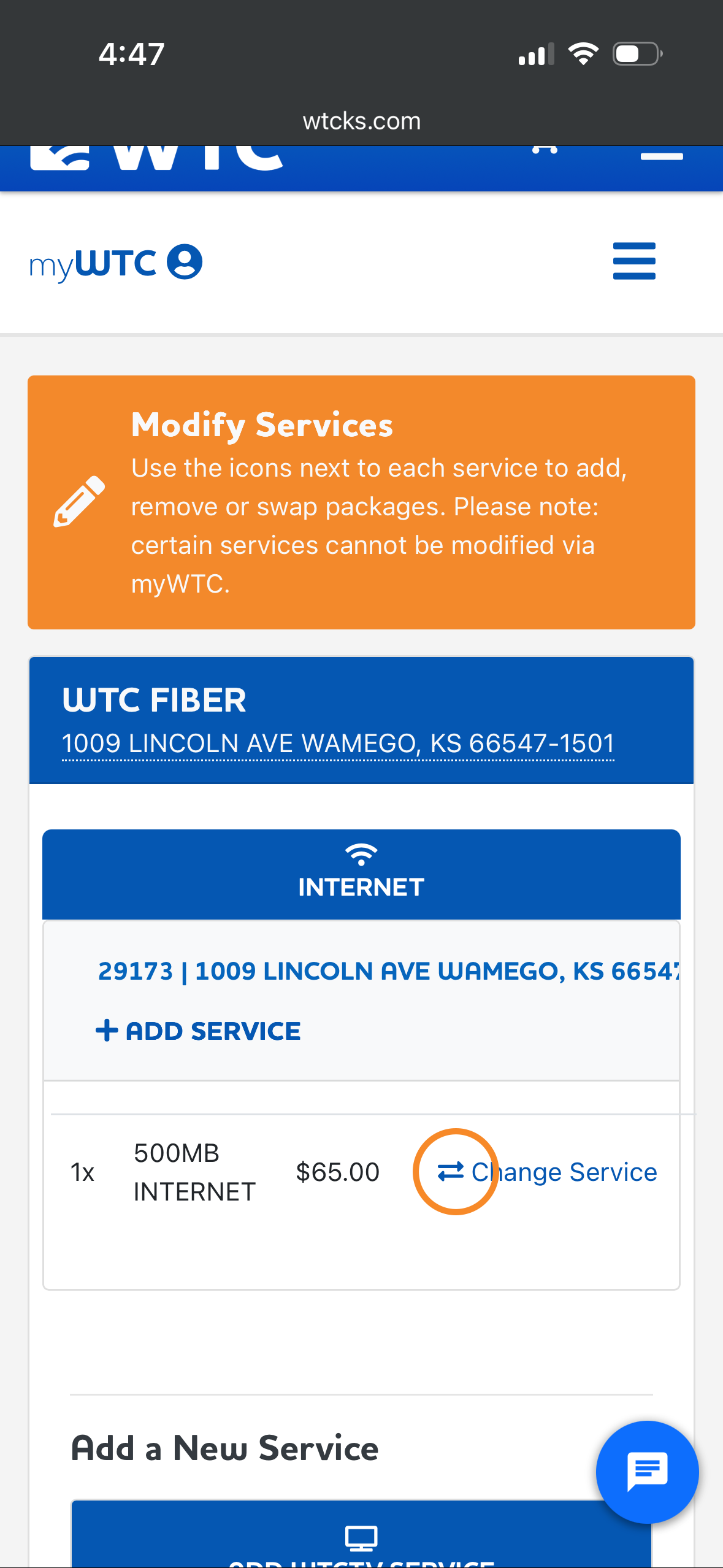
3
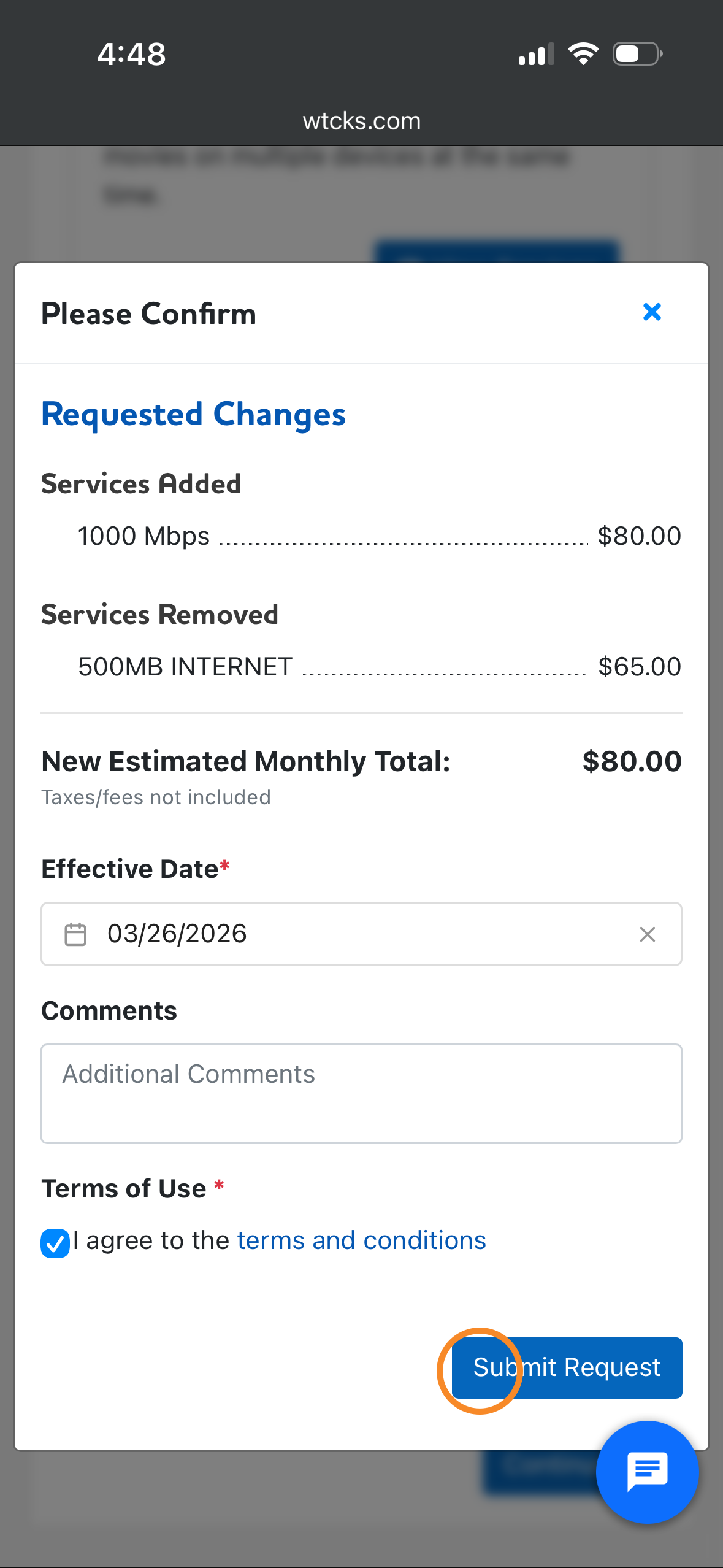
Step 3: Finally, choose a date you want to activate your new Internet speed. Check the terms and conditions and Submit Request.