MYWTC - DISCONNECTING SERVICE
myWTC - Disconnecting Service
Last Updated: October 23, 2026
Disconnecting Service?
Once you've logged into your myWTC portal, you can easily disconnect service. Follow along below to learn how. As always, if you have any questions, call or text 785-456-1000, or email support@wtcks.com.
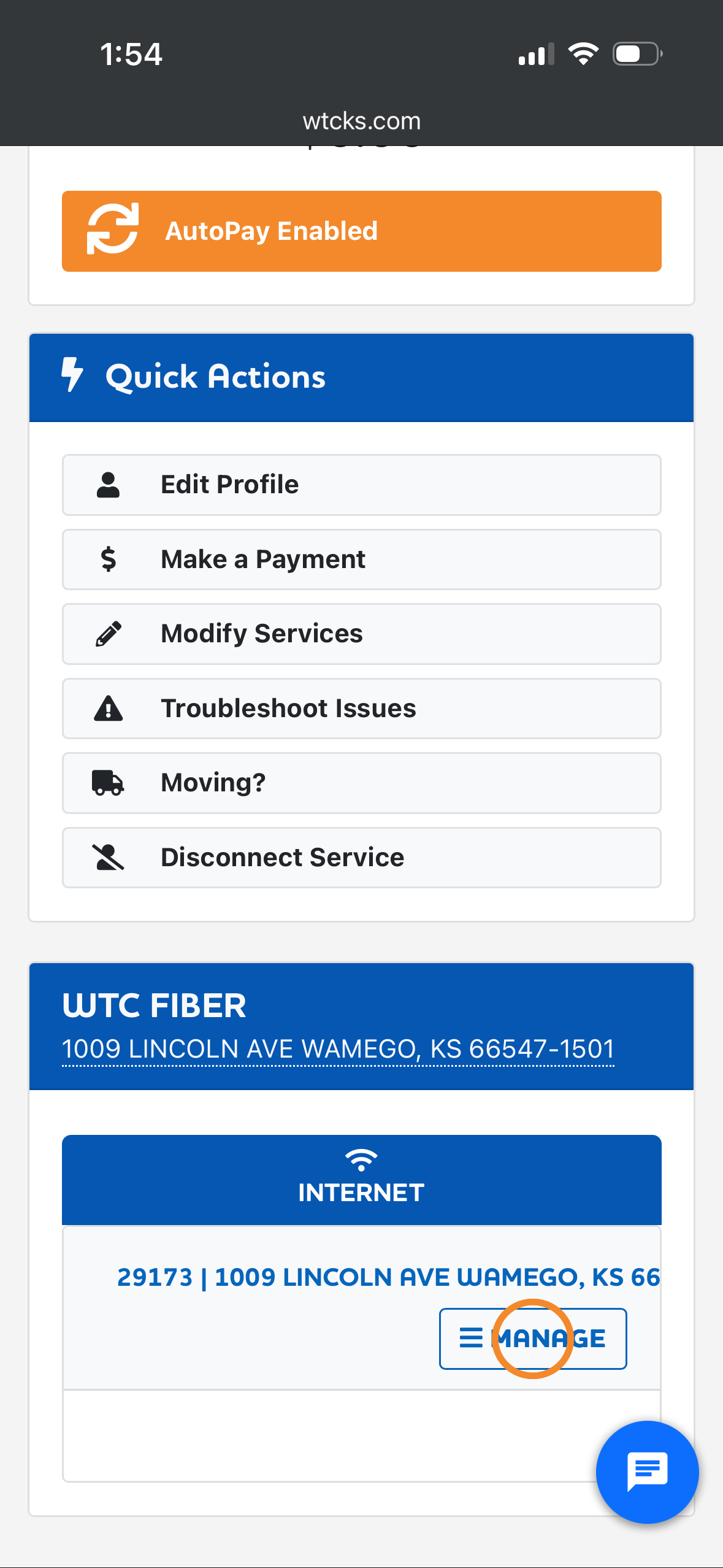
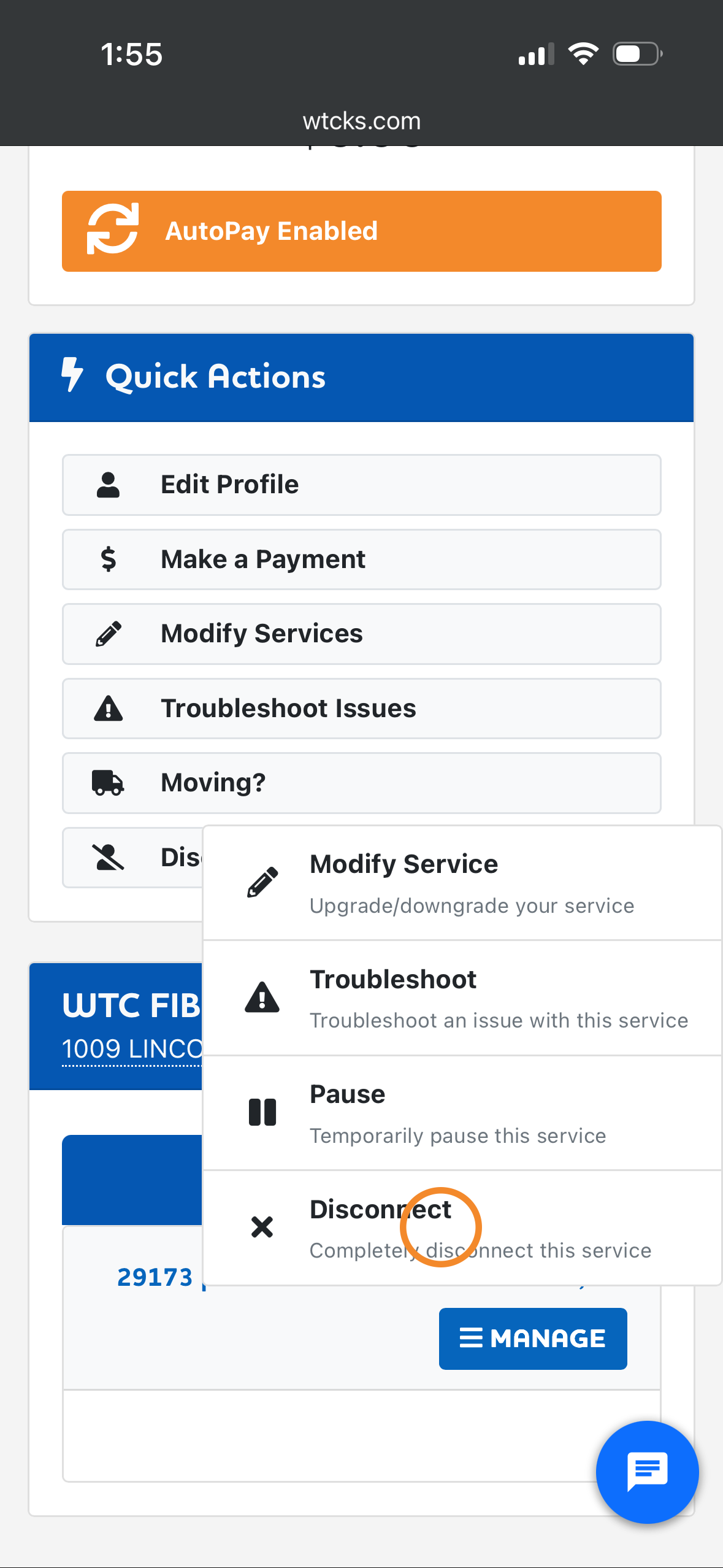
Step 1: Click manage under the service you want to disconnect. Then click disconnect.
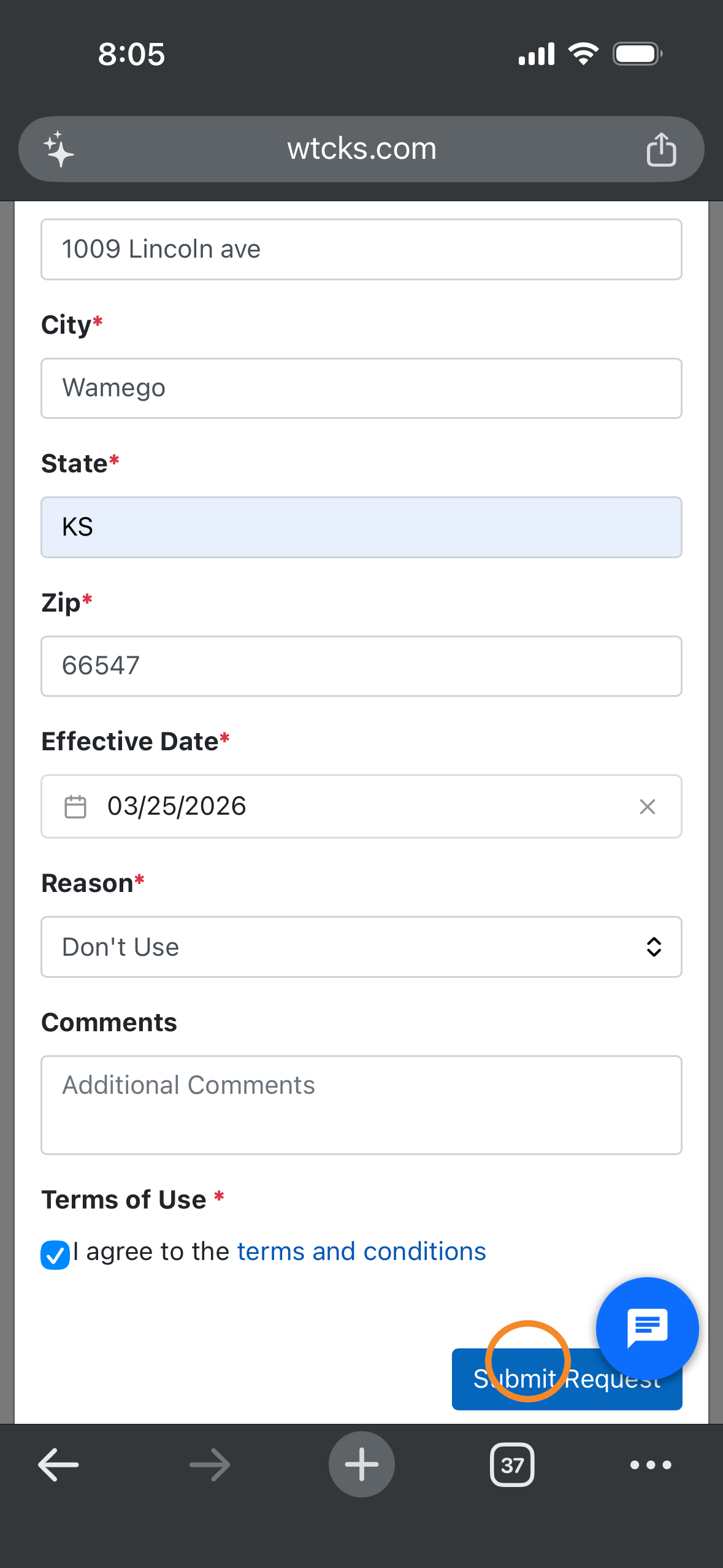
Step 2: Enter the required information and choose a date you'd like to disconnect service. Check the terms and conditions and click submit request.
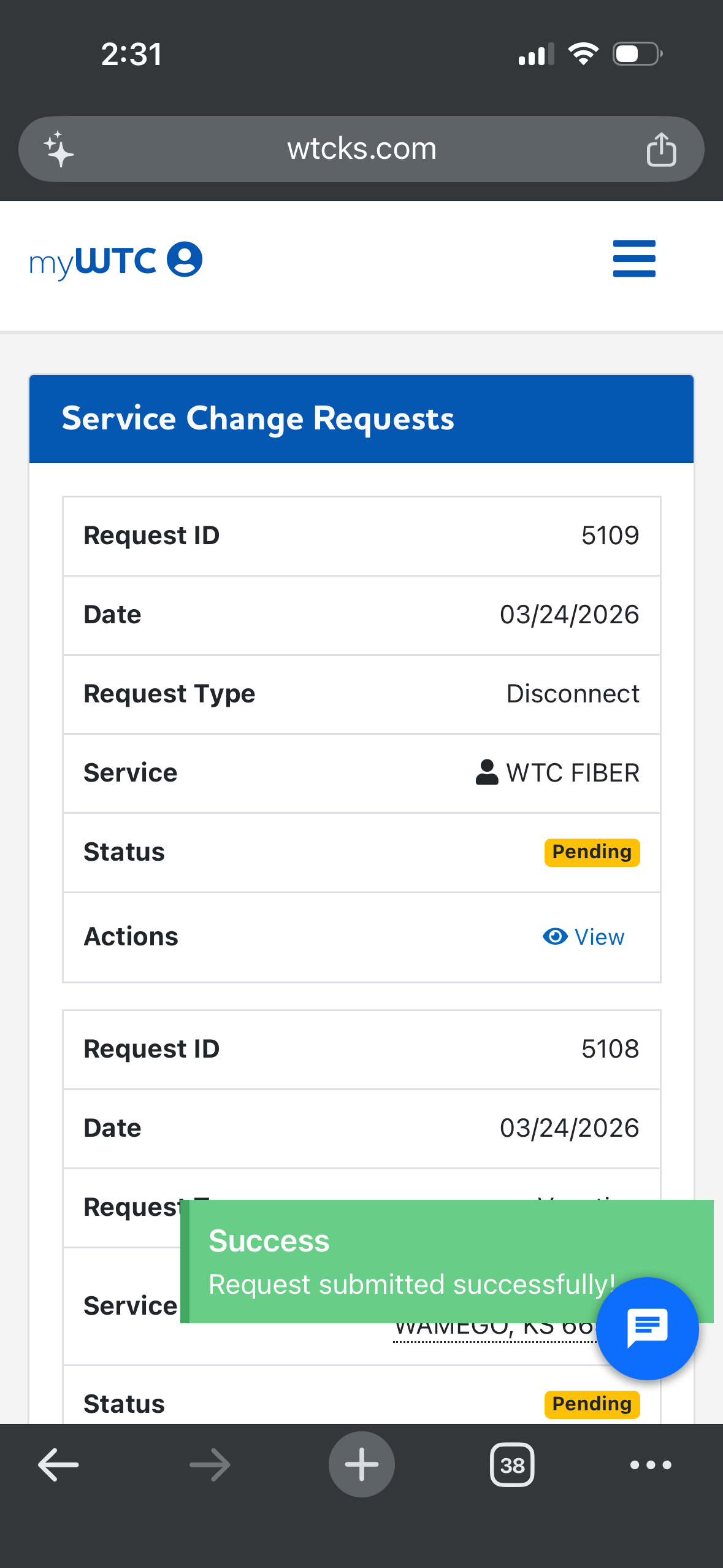
Step 3: Your request will be added to your service change requests page. When your service has been disconnected, the status will change to completed. This usually happens quickly, but could take up to 20 minutes to be completed.