MYWTC - MOVING SERVICE
myWTC - Moving Service
Last Updated: October 23, 2026
Moving Service?
Once you've logged into your myWTC portal, you can easily transfer your service to a new address! Follow along below to learn how. As always, if you have any questions, call or text 785-456-1000, or email support@wtcks.com.
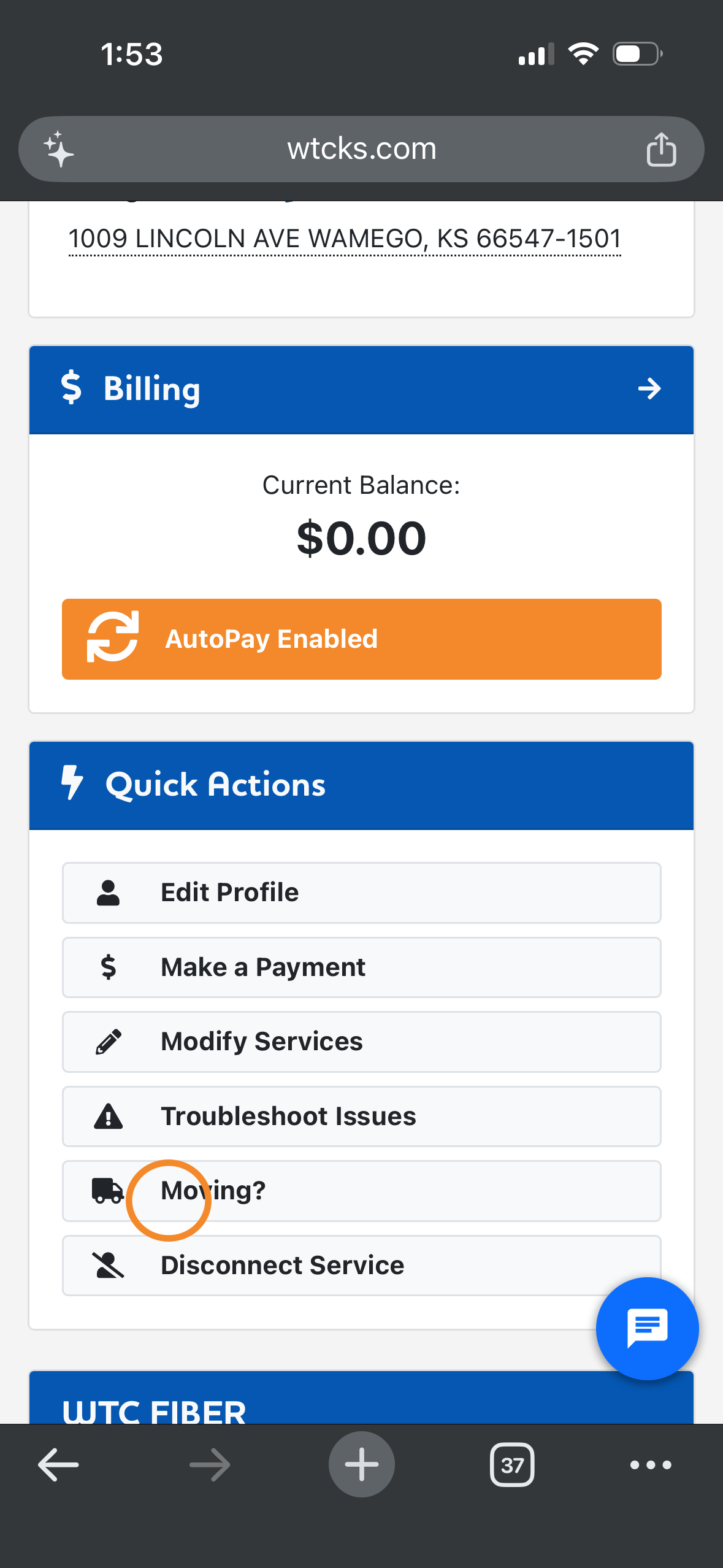
Step 1: Click the Moving tab on the Home page.
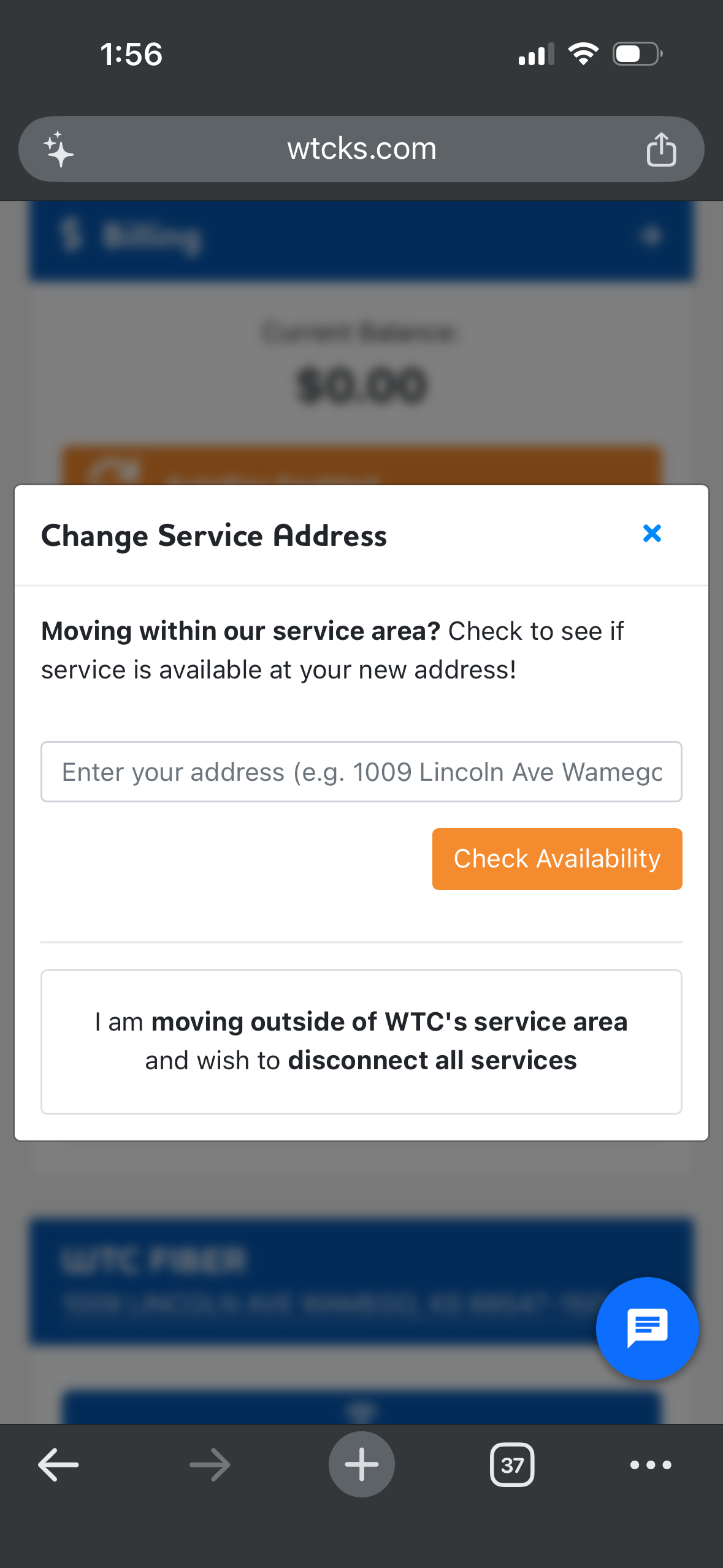
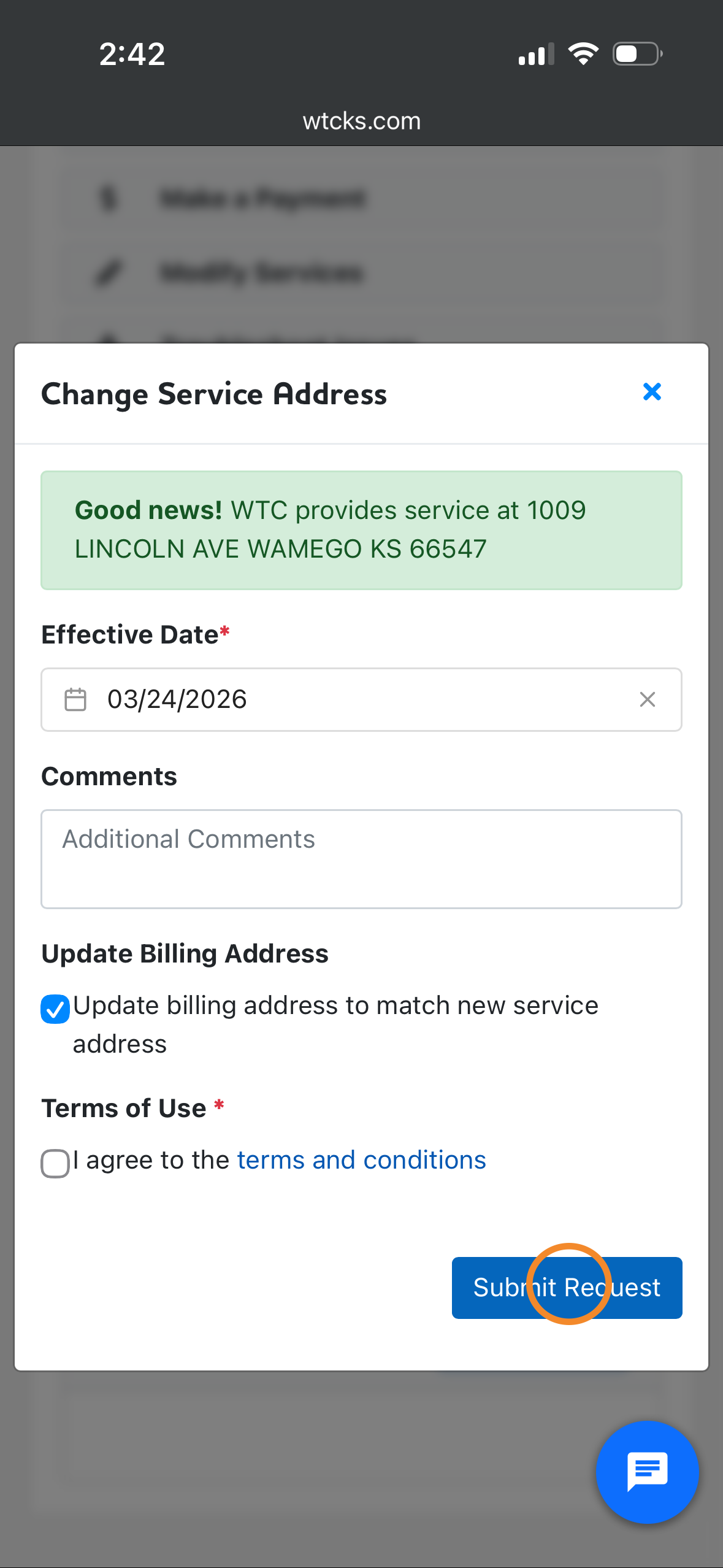
Step 2: Type in your new address. If your new address is in our service area, select an effective date and click submit request. If the address is outside of our service area, a specific message will display informing you of that.
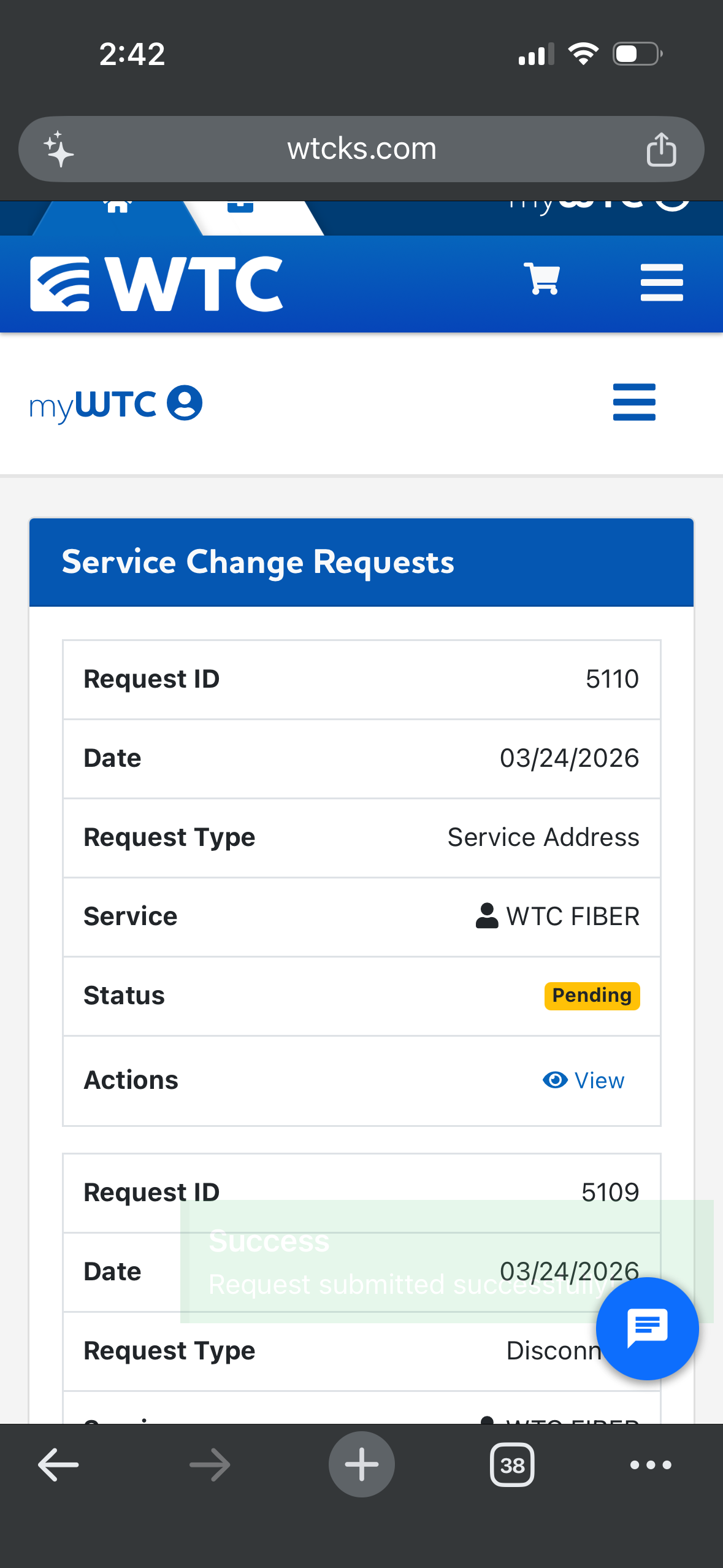
Step 3: Your request will be added to your service change requests page. Once the request has been confirmed and added to our calendar, the status will change to completed.